
SOLIDWORKS CAM
CNC programming built directly into your SOLIDWORKS environment.
What SOLIDWORKS CAM Does
SOLIDWORKS CAM runs inside your existing SOLIDWORKS environment, powered by CAMWorks. If you already design in SOLIDWORKS, you can program CNC toolpaths from the same model file without switching applications, importing geometry, or managing separate CAD and CAM versions.
Core capabilities:
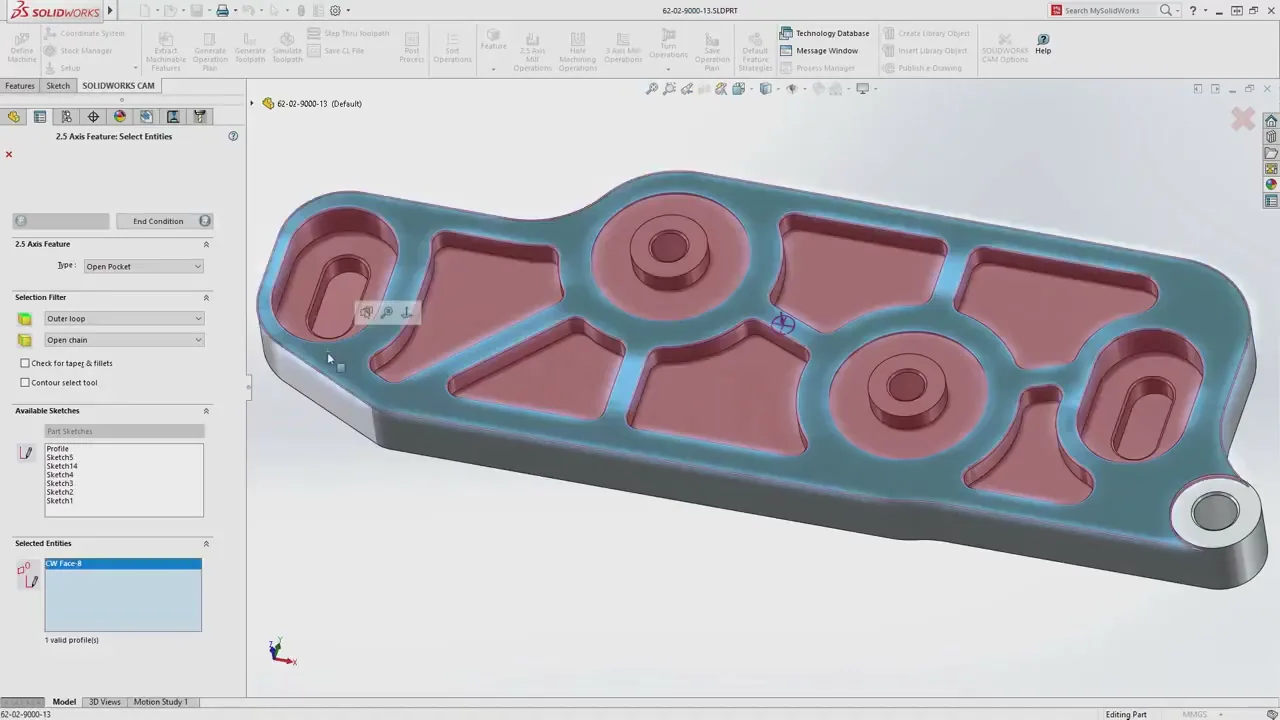
- Automatic Feature Recognition (AFR): identifies machinable geometry on milled parts, including imported files, without requiring a native SOLIDWORKS feature tree
- Tolerance-Based Machining (TBM): reads MBD and PMI data to automatically select machining strategies that meet your specified tolerances
- Knowledge-Based Machining (KBM): captures your preferred tools, feeds, speeds, and step-overs in the Technology Database so similar parts get programmed consistently and faster
- Full associativity: when your SOLIDWORKS design changes, toolpaths and G-code update automatically
- Single-file workflow: CAD and CAM data live in the same file, eliminating the import/export problem
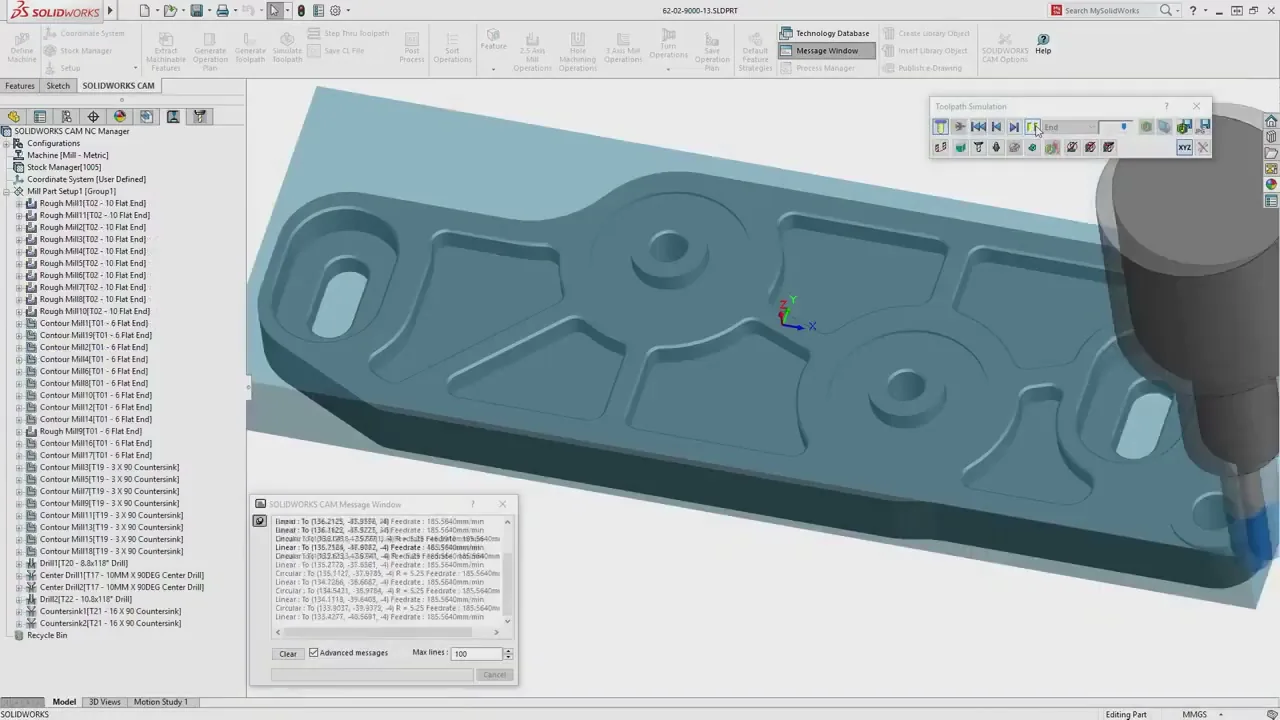
- In-software simulation: verify toolpaths and check for collisions before sending a program to the machine
 Morphos 3D is an authorized SOLIDWORKS reseller with deep CNC manufacturing expertise.
Which Edition Is Right for Your Shop?
SOLIDWORKS CAM comes in four editions. The right one depends on your machines, your part complexity, and how much programming automation you need.
| Capability | CAM Standard | CAM Professional | Machinist Standard | Machinist Professional |
|---|---|---|---|---|
| Rules-Based Machining | Yes | Yes | Yes | Yes |
| Tolerance-Based Machining (TBM) | Yes | Yes | Yes | Yes |
| 2.5-Axis Milling (Parts) | Yes | Yes | Yes | Yes |
| High-Speed Machining (VoluMill) | No | Yes | No | Yes |
| Turning Operations | No | Yes | No | Yes |
| 3+2 / 4- and 5-Axis Programming | No | Yes | No | Yes |
| Assembly Machining | No | Yes | No | Yes |
| Part Modeling / Import | No | No | Yes | Yes |
| Assembly Modeling / Import | No | No | No | Yes |
SOLIDWORKS CAM Standard
Standard is included with every current SOLIDWORKS subscription running version 2018 or newer. If your shop mills prismatic parts from native SOLIDWORKS files and you want to reduce manual toolpath setup, Standard gives you the core automation at no additional license cost. It is a solid starting point for shops new to integrated CAM.
SOLIDWORKS CAM Professional
Professional is the right move if you run turning operations, need assembly machining with fixture awareness, or want high-speed machining with VoluMill to cut cycle time and extend tool life. Most shops that evaluate CAM seriously find they need Professional within the first year. If your work involves anything beyond basic 2.5-axis milling on single parts, this is where the conversation starts.
SOLIDWORKS CAM Professional is available on a Device Term License (machine-locked, 3-month or 1-year) or a Single-User Subscription (person-tied, usable on any device). Morphos 3D can help you choose the model that fits your shop.
Machinist Editions
The Machinist editions add a part and assembly modeling environment on top of Standard and Professional CAM capabilities. If your team works with imported files from customers or vendors and needs to modify or fixture designs without a full SOLIDWORKS CAD license, a Machinist edition covers that. Machinist Professional is the most capable configuration, adding assembly machining with automatic toolpath clipping against fixtures and vises.
What You Can Do With SOLIDWORKS CAM
SOLIDWORKS CAM fits manufacturing environments where design and production are handled by the same team, or where they work in close coordination.
Milling Shops Working Directly From CAD
If your machinists program from the same SOLIDWORKS models your engineers create, SOLIDWORKS CAM removes the file transfer step entirely. Automatic Feature Recognition identifies your holes, pockets, and bosses, and the TechDB applies your preferred cutting strategies automatically. When a design revision comes in, toolpaths update. No re-import, no re-setup.
Shops Needing Turning and Multi-Axis Work
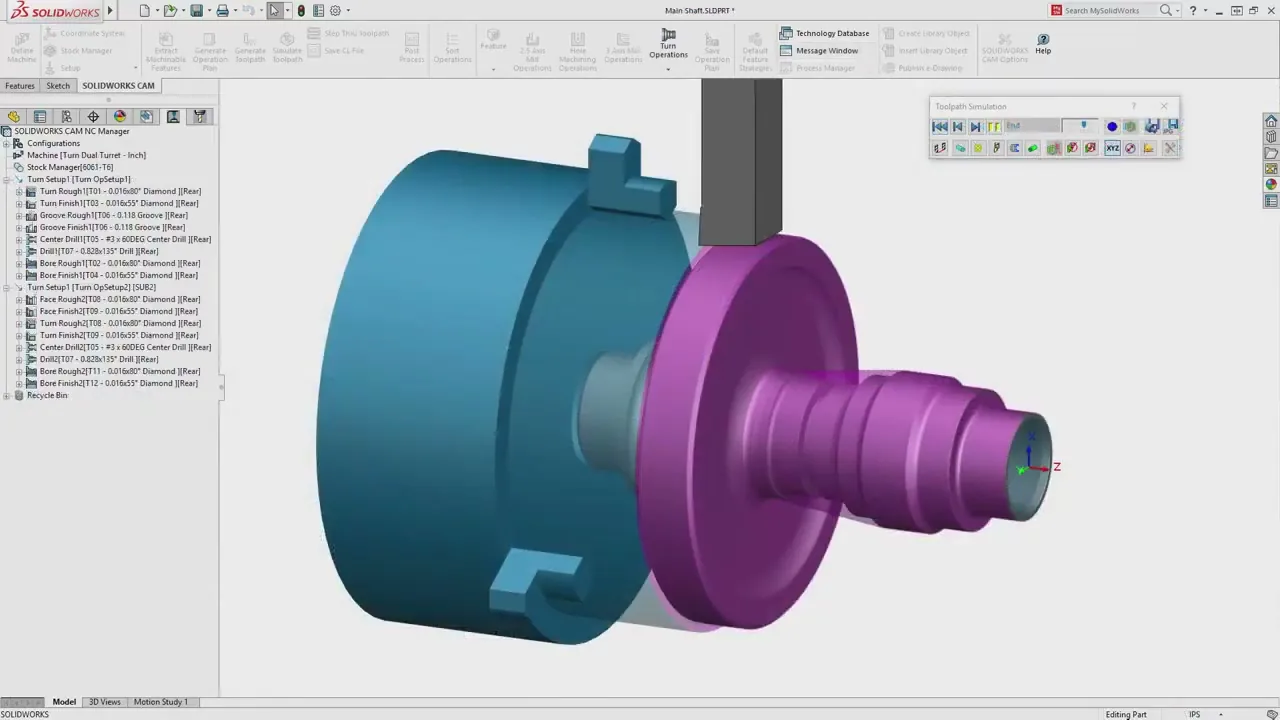
SOLIDWORKS CAM Professional covers turning operations including facing, roughing, finishing, grooving, boring, threading, and cutoff. The 3+2 programming capability lets you pre-position a 5-axis machine for complex geometry without requiring simultaneous 5-axis motion. If your shop runs lathes alongside mills, Professional handles both in one environment. For editing and verifying G-code at the machine, pair it with NC Shop Floor Programmer.
Manufacturers Validating Manufacturability Early
SOLIDWORKS CAM lets you run toolpath simulations concurrent with the design process. You can identify features that are expensive or difficult to machine before the part is finalized, catching problems when they are still cheap to fix rather than after tooling has been committed.
Why Get SOLIDWORKS CAM Through Morphos 3D?
Buying software through a VAR is not just a transaction. When you work with Morphos 3D, you get a team that has spent decades in manufacturing environments using these tools. We know the full pipeline, from design in SOLIDWORKS through to production scheduling in DELMIAWorks, so the CAM conversation fits into how your shop actually runs.
- We will recommend the right edition for your workflow, not the most expensive one
- We provide implementation support after purchase, not just a license key
- You get ongoing access to people who understand your machines and your process
If you are evaluating SOLIDWORKS CAM for your shop, start with a conversation. We will ask the right questions and tell you exactly where to start.
Get a Quote