
3DEXPERIENCE Platform
Dassault Systèmes' cloud platform: design, simulate, collaborate, and manage data from one login.
SOLIDWORKS® and the 3DEXPERIENCE Platform
The 3DEXPERIENCE Platform is Dassault Systèmes' cloud-based innovation environment that connects design, simulation, collaboration, and data management under a single login. It hosts cloud-native design tools like xDesign and xShape, and connects directly to SOLIDWORKS desktop through the 3DEXPERIENCE SOLIDWORKS connector, so your engineers keep using the tool they know while gaining access to cloud storage, collaborative review, and PLM capabilities on the same platform.
- Hosts cloud-native SOLIDWORKS tools including xDesign, xShape, 3DDrive, ENOVIA, and 3DSwym
- Browser-based: access from any device, no local install required for cloud-native apps
- Connects to desktop SOLIDWORKS via the 3DEXPERIENCE SOLIDWORKS connector
 Morphos 3D is an authorized SOLIDWORKS reseller with deep manufacturing expertise.
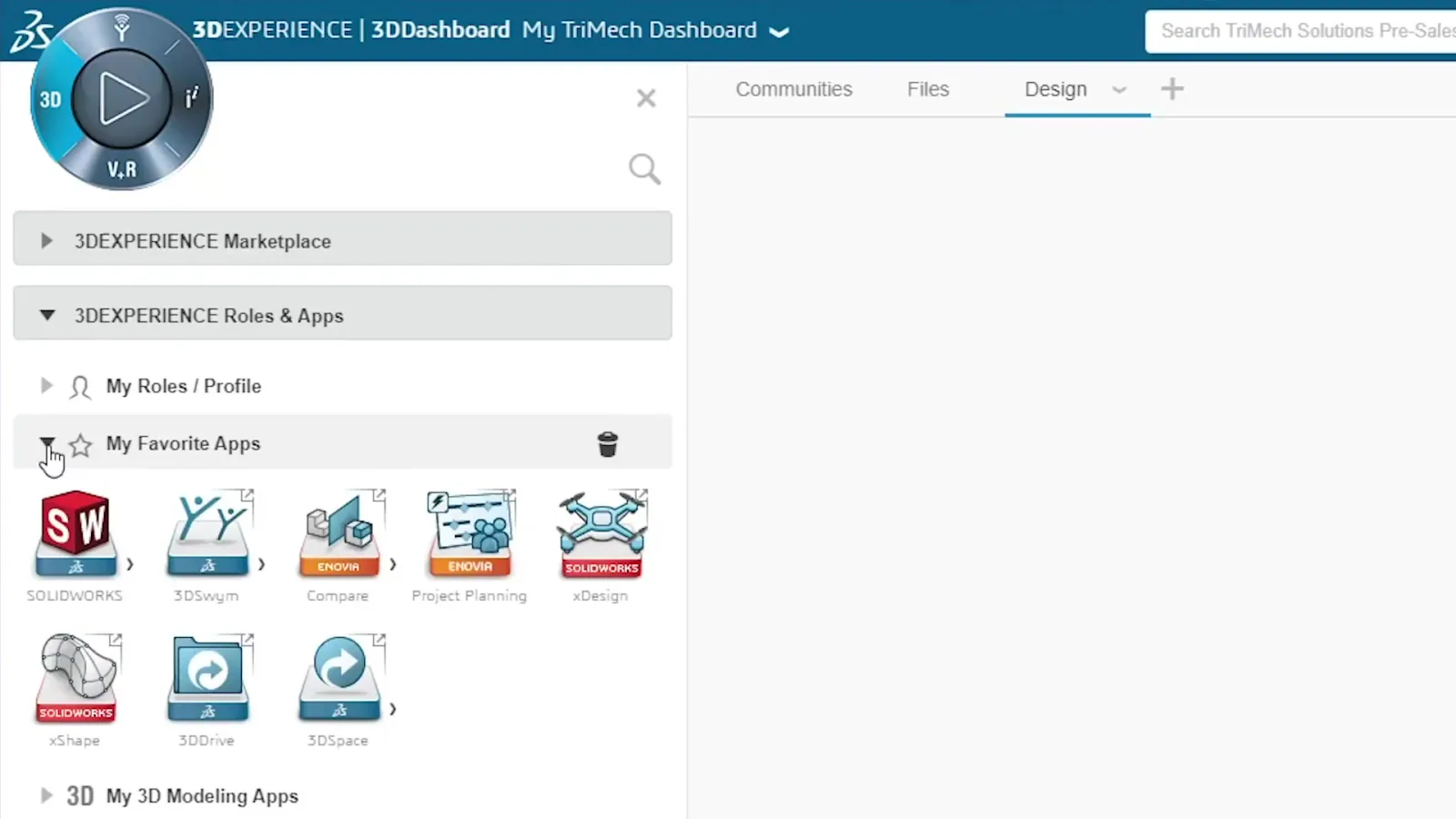
Key Apps on the 3DEXPERIENCE Platform
Each application addresses a specific part of your product development workflow. Your team gets access to the apps that match their role, not a blanket install of everything.
The Platform in Practice
Cloud storage built for SOLIDWORKS. Save directly from the desktop connector, manage revisions, and access files from any device.
- Save SOLIDWORKS files directly to the cloud from the desktop connector
- Collaborative spaces organize data by project, product line, or team
- Revision management with lock/unlock to prevent overwrites during active work
- Access files from browser on any device, no VPN or shared drive required
- Share specific files or spaces with external reviewers without exposing your entire vault
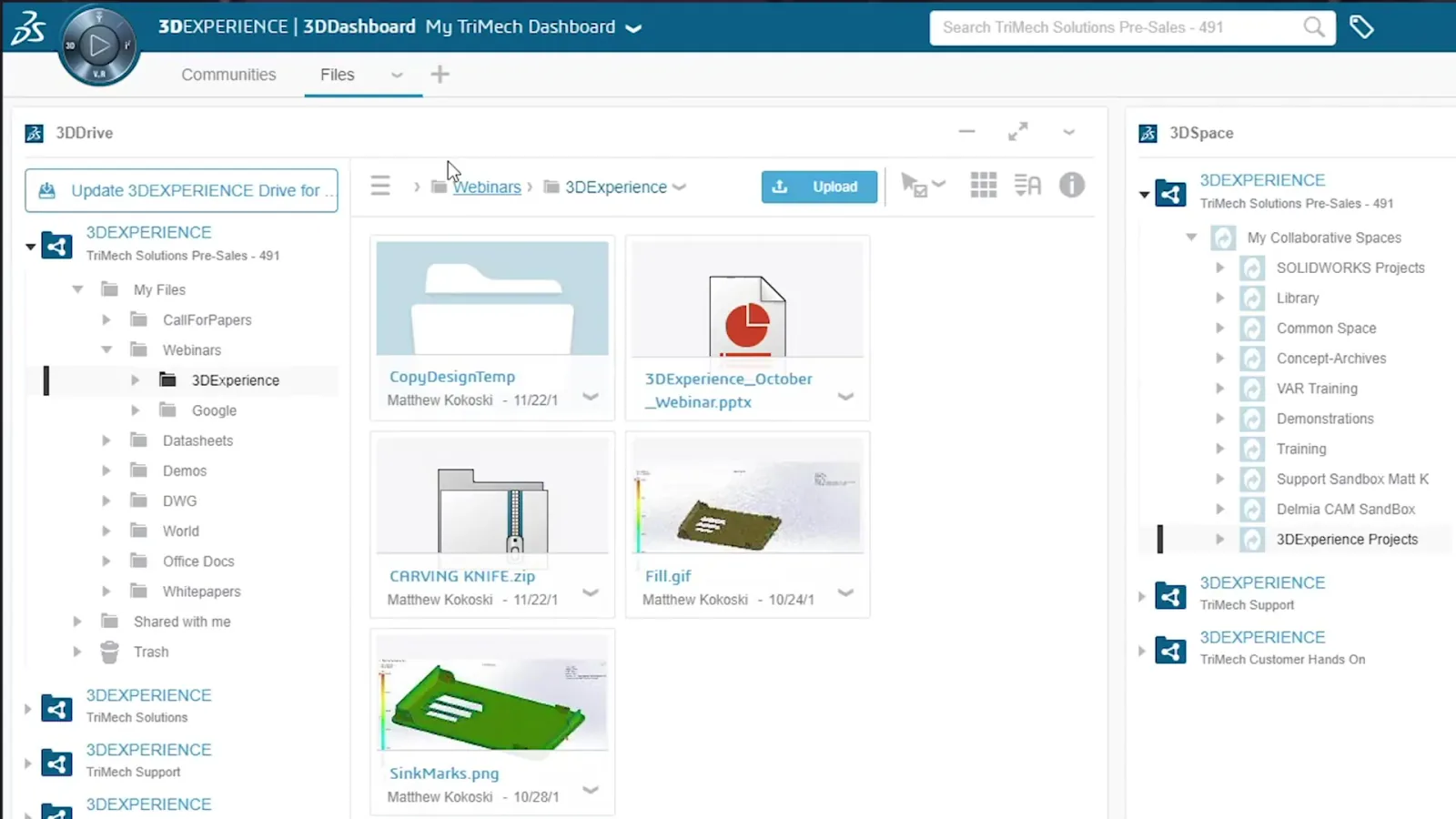
One login launches every platform tool: SOLIDWORKS desktop, xDesign, 3DDrive, ENOVIA, and 3DSwym, with no separate credentials per application.
- Single sign-on across all platform applications
- Role-based launcher: each user sees only the apps their role provides
- Connects desktop SOLIDWORKS to cloud apps via the SOLIDWORKS connector
- Access xDesign, xShape, and other cloud-native tools from the same login
- Accessible from browser on Windows, Mac, and tablet
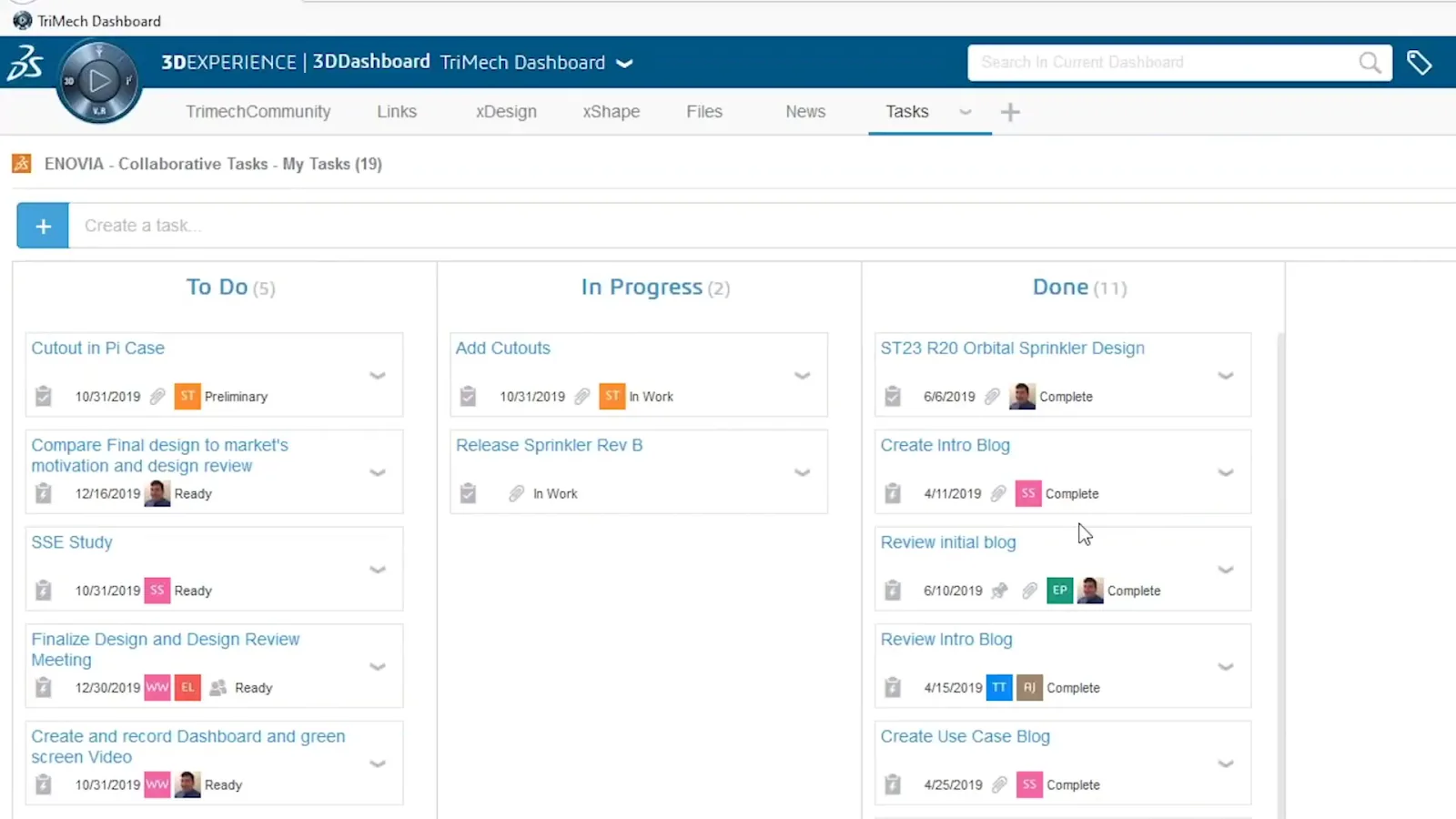
Kanban-style task management linked directly to platform models, drawings, and BOMs, with formal approval workflows and full audit trail.
- Kanban board with customizable stages for your design process
- Tasks linked directly to models, drawings, and documents in the platform
- Assign tasks to team members, set due dates, and track status
- Formal approval workflows for design releases and change actions
- Full audit trail for change history and decision records
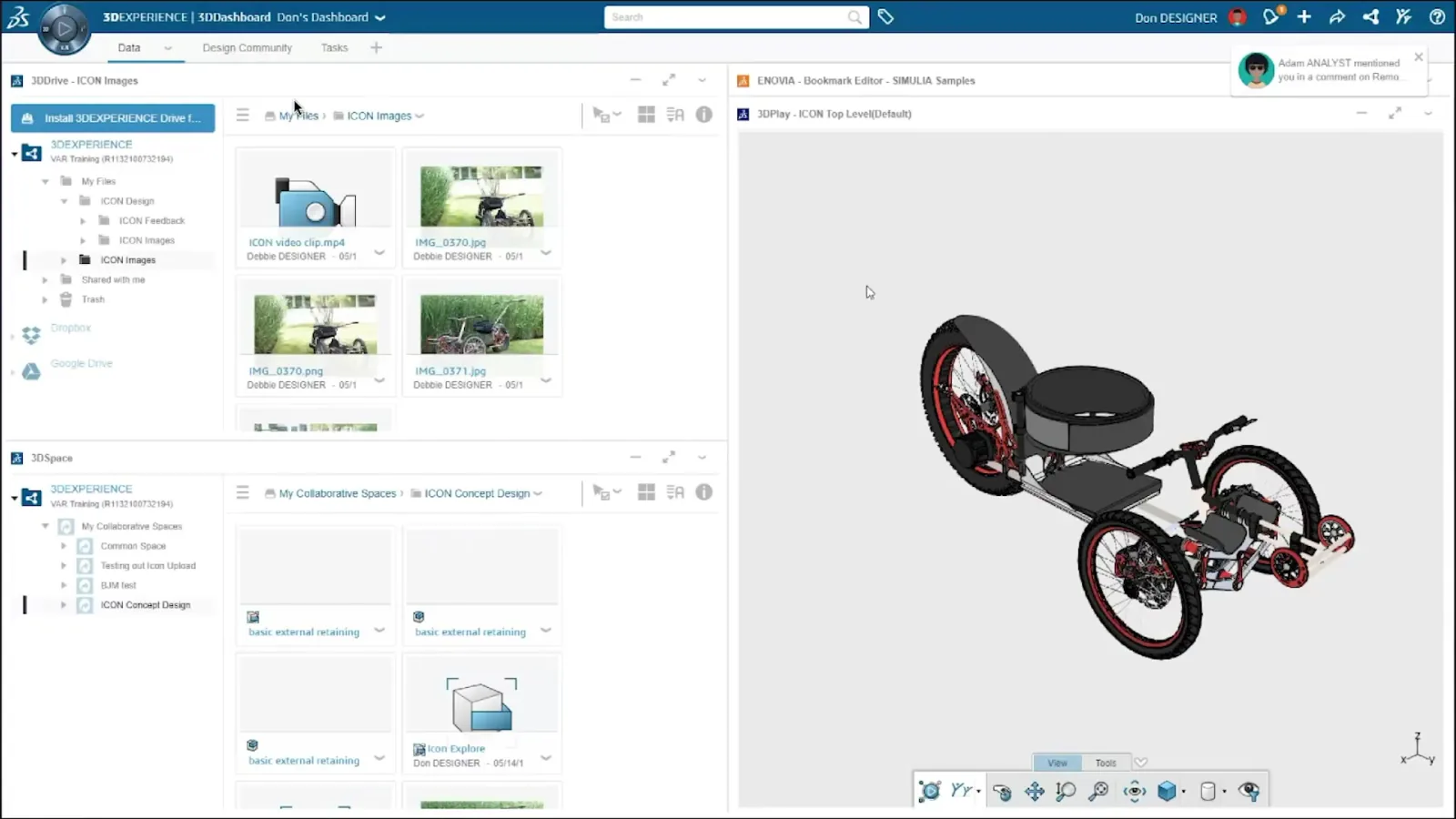
Customizable multi-panel workspace combining file browser, 3D viewer, BOM panel, and community feed. Morphos configures role-specific templates so each user starts with the right view.
- Multi-panel layout: combine file browser, 3D viewer, BOM, and community feed
- Role-specific dashboard templates shared across the team
- Real-time 3D model navigation in the browser panel without a separate viewer
- Links directly to ENOVIA tasks, 3DDrive files, and 3DSwym discussions
- Accessible from browser, no additional software beyond the platform login
How Morphos 3D Configures the Platform for Your Team
We start with your current workflow: how your SOLIDWORKS data is organized, who needs access to what, and where your pain points are. From that we derive which roles each team member needs, how your collaborative spaces should be structured, and what dashboard configurations suit each role. Once deployed, we connect desktop SOLIDWORKS to the platform, migrate existing data, and run onboarding sessions per role group so every user: engineer, manufacturing, purchasing, management, walks away knowing exactly how to work in the platform.