
SOLIDWORKS Turning Professional
Prismatic and simultaneous turning, multi-spindle and multi-turret, live tooling, and Swiss-type work, all programmed in one kinematic environment on the 3DEXPERIENCE platform. This is where turning starts, because Shop Floor Programmer does not do it.
SOLIDWORKS Turning Professional
SOLIDWORKS Turning Professional is the turning role in the SOLIDWORKS Manufacturing portfolio on the 3DEXPERIENCE platform. Dassault deliberately left basic turning out of Shop Floor Programmer, because almost nobody buys a CAM system just to program a single lathe in the corner. So turning starts here, and it starts at the serious end.
- Multi-spindle and multi-turret, up to 4-channel machines
- Live tooling and full mill-turn on a single setup
- Swiss-type machining with sync managers, prismatic and simultaneous
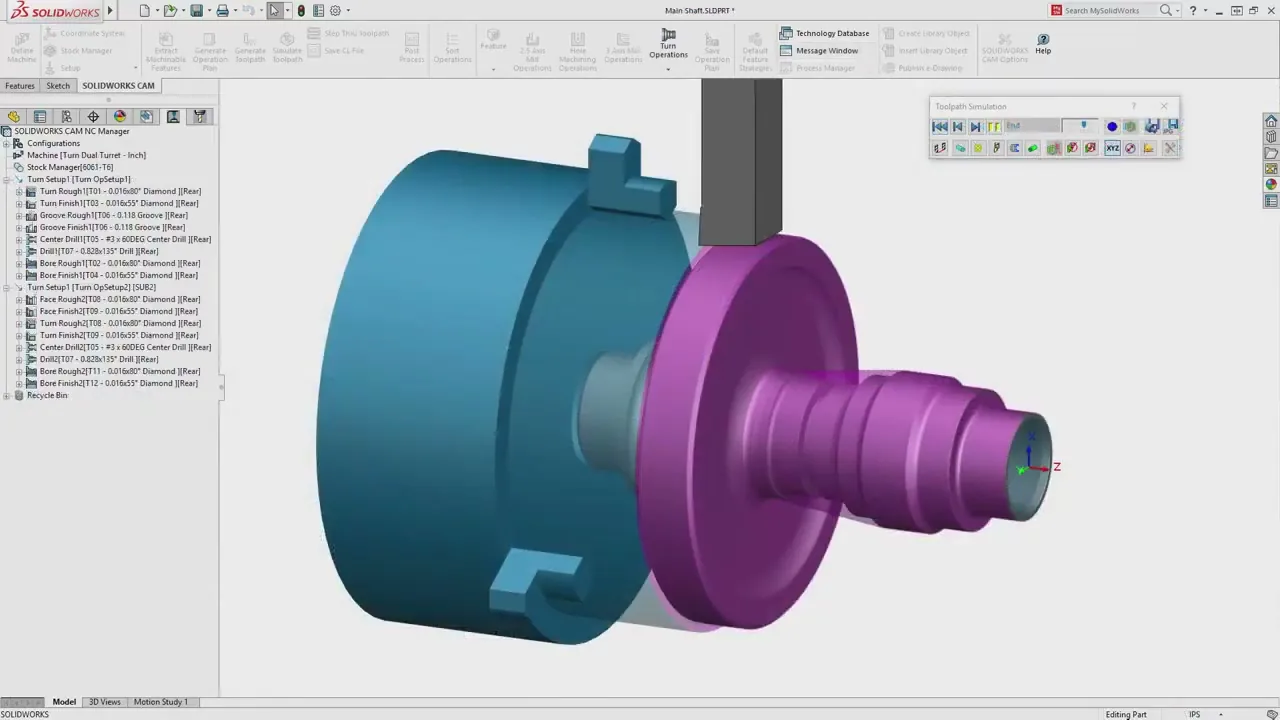
Sync managers let you program each channel as its own program, then run them together in sync, which is exactly how a Swiss-type or multi-turret machine actually cuts. There is no cap on the number of axes or channels, because DS uses its own engine. Machine simulation runs the full kinematic model before any chips fly.
 Morphos 3D is an authorized SOLIDWORKS reseller with deep CNC and Swiss machining expertise.
What Turning Professional Does
Everything a real turning shop needs, from a 2-axis lathe to multi-channel Swiss, on the same platform as your CAD.
Program dual-turret and up to 4-channel machines. Sync managers handle each channel as its own program, then run them together with the timing the real machine needs.
Driven tooling, C and Y axis, and full mill-turn on one setup. Program the milling and the turning in one environment instead of moving the part between separate tools.
Main and sub-spindle, back-working, and gang tooling handled through sync managers. Built for the long, thin, high-accuracy parts a Swiss machine exists to cut.
Index a part in fixed prismatic positions, or drive true simultaneous multi-axis where the spindle and tool move together, like clocking a helical oil groove.
Every advanced role has kinematic machine simulation built in, not dumbed down by tier. Catch a sub-spindle collision or a mistimed sync in software, not on a crashed machine.
Capture proven turning strategies as templates and rules, with real logic instead of a lookup table, so a repeat family of parts programs itself the same way every time.
Turning Starts Here
The SOLIDWORKS manufacturing roles all sit on one platform. Shop Floor Programmer covers milling and fabrication cutting, but no turning, so a turning shop lands on this role.
3-axis milling, 3+2 indexing, laser, waterjet, plasma, nesting, and machine simulation. Often already included with cloud services. Does not do turning.
View page →Multi-spindle and multi-turret turning, live tooling, mill-turn, Swiss, prismatic and simultaneous. The turning half of a mixed shop.
This roleEverything DS owns: full multi-axis mill-turn, machining with robots, machine-tending programming, and the specialty routines used on aerospace and turbine work.
Ask about it →Losing HSMWorks with the 2028 end-of-life deadline? HSMWorks shops that ran a lathe with live tooling land here. The alternatives breakdown covers where the milling and turning sides each go.
In Practice
A Swiss or multi-turret machine is not one program, it is several running against each other with tight timing. Turning Professional gives you a sync manager: you program each channel as its own program, then set the sync points that decide when the sub-spindle grabs, when back-working starts, and when the turrets hand off. What you see in the simulation is the timing the machine will actually run.
- Main and sub-spindle with part transfer and back-working
- Up to 4 channels, multiple turrets, no axis limit
- Sync points you set and see, not a black box
- Live tooling and mill-turn in the same setup
A sub-spindle transfer or a mistimed turret move is where a turning crash gets expensive. Full kinematic machine simulation runs the whole machine, not just tool and stock, so collisions and sync errors surface in software. The program that reaches the floor is one a validated post-processor can run, and posting is exactly where a multi-channel Swiss job usually falls apart without the right support.
- Full kinematic simulation of every channel and spindle
- Collisions and sync errors caught before the machine moves
- Post-processors validated for your Swiss or mill-turn control
- Program, G-code, and setup sheet stored as one revisioned package
The Reseller That Actually Runs Swiss
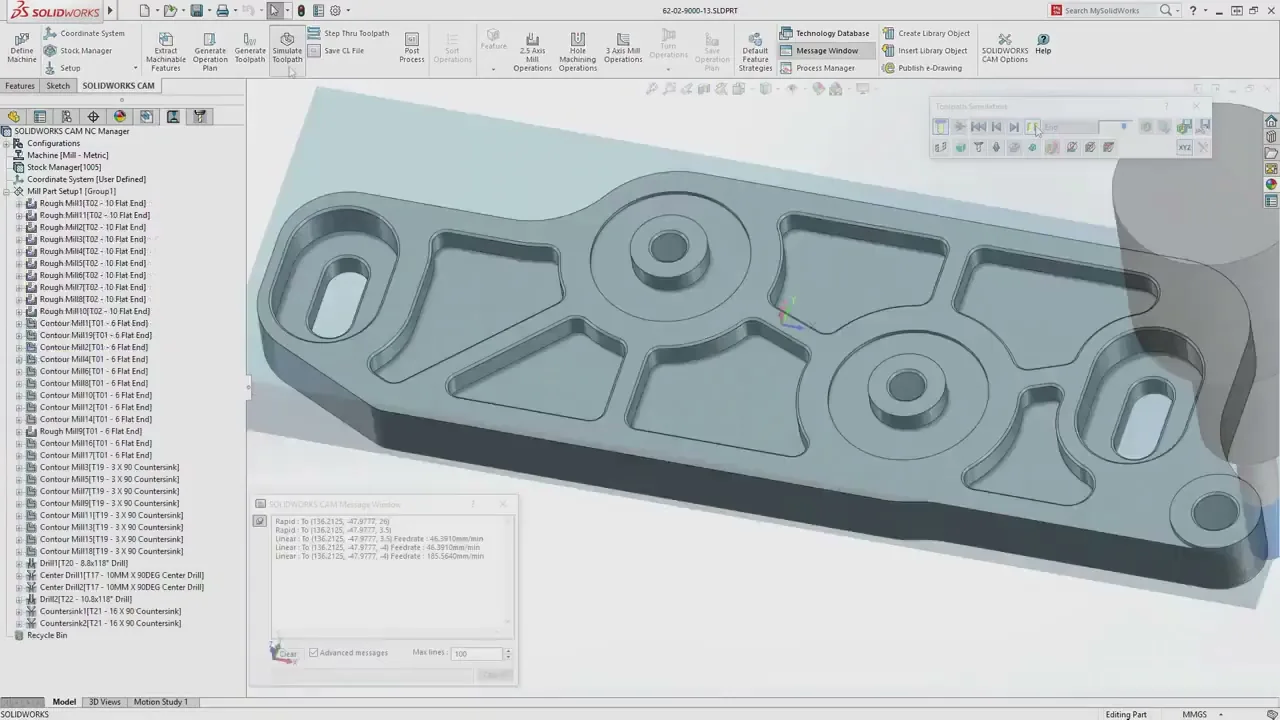
Most SOLIDWORKS resellers sell CAD and hand you off on the hard CAM. Multi-channel turning and Swiss is where that shows. Morphos runs CNC, programs Swiss and mill-turn on its own floor, and configures the parts of the tool that actually make or break a turning job.
- Machine kinematics: your actual multi-spindle, multi-turret, and Swiss machines modeled so simulation matches the real timing
- Post-processor validation: multi-channel and Swiss G-code that runs on your control without hand-editing
- Sync setup: the channel timing and transfer logic built with people who cut these parts
- Training on your parts: your real jobs, tools, and materials, not vendor sample files
Run milling too? Pair this with Milling Professional, or start a level down with NC Shop Floor Programmer for the milling side. See the whole ladder on the CAM solutions overview.