Products Design & Engineering SOLIDWORKS xDesign

SOLIDWORKS® xDesign

Full Parametric CAD in Your Browser

No installation, no VPN, no node-locked machine. Open a browser and design — from any device, any location.

See What's Inside
0
Software to install
Any OS
Windows, Mac, Linux, Chromebook
Live
Real-time collaboration
1 Platform
Design, simulate & manage

Parametric CAD Without the IT Overhead

xDesign runs entirely in a browser. There is no installer, no license server, and no requirement to be on a specific machine. Your model lives on the 3DEXPERIENCE platform — version-controlled, accessible to every team member, and never stored as an email attachment.

  • No installation required — open a browser and design from any device
  • Works on any OS: Windows, Mac, Linux, Chromebook
  • Real-time collaboration — multiple users on the same live assembly
  • Full parametric solid modeling: sketches, features, constraints, mates
  • Connected to simulation, manufacturing, and PDM on the same platform

Licensing FAQ

SOLIDWORKS xDesign uses a Named User License — your license is tied to you, not a machine. Works on any internet-connected device with a browser. No on-premise installation required. One named user can access xDesign from any device simultaneously without a license transfer. Licenses are subscription-based — add or remove seats as your team grows. Contact us for current pricing.

Professional CAD, Without the Infrastructure

The Full CAD Toolset — In a Tab

xDesign is not a simplified sketch tool. It is full parametric solid modelling: sketches with constraints, feature history, mates, assemblies, and drawing creation. The difference is that it runs in Chrome, Edge, or Safari — no GPU requirement, no Windows-only restriction, no software deployment project.
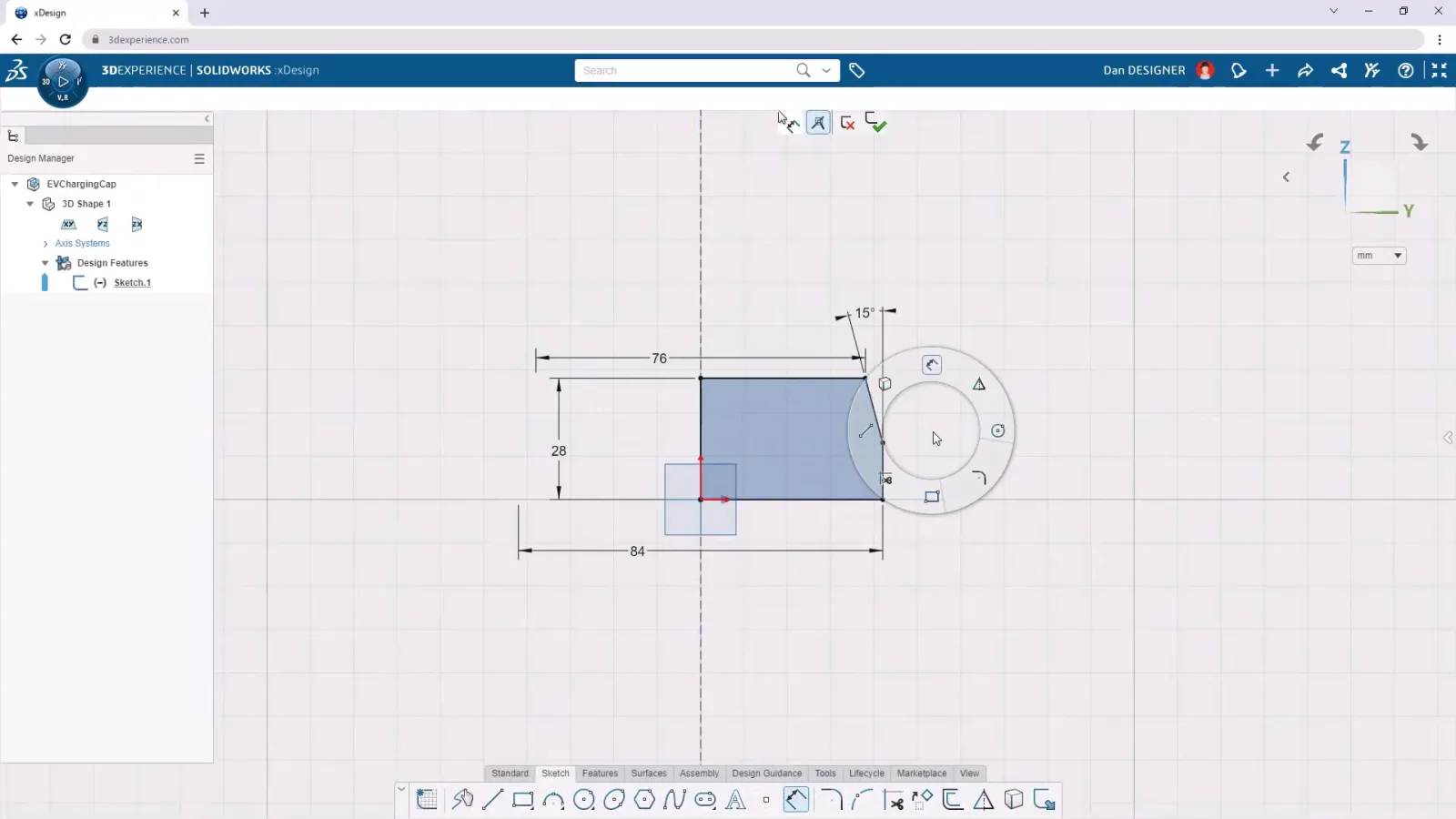
  • Fully parametric feature tree with edit history and rollback
  • Assembly mates and interference detection in-browser
  • Associative 2D drawings from 3D models — full sheet management, views, dimensions, and BOM
  • Works on Windows, macOS, Linux — no GPU needed
xDesign full parametric CAD running in browser

Multiple Engineers, One Live Model

Because the model lives on the platform — not on someone's C drive — your entire team can see it at once. Designers in different offices can work on the same assembly simultaneously. Reviewers can add markups and comments directly on the 3D model, without requesting a file or opening a separate application.
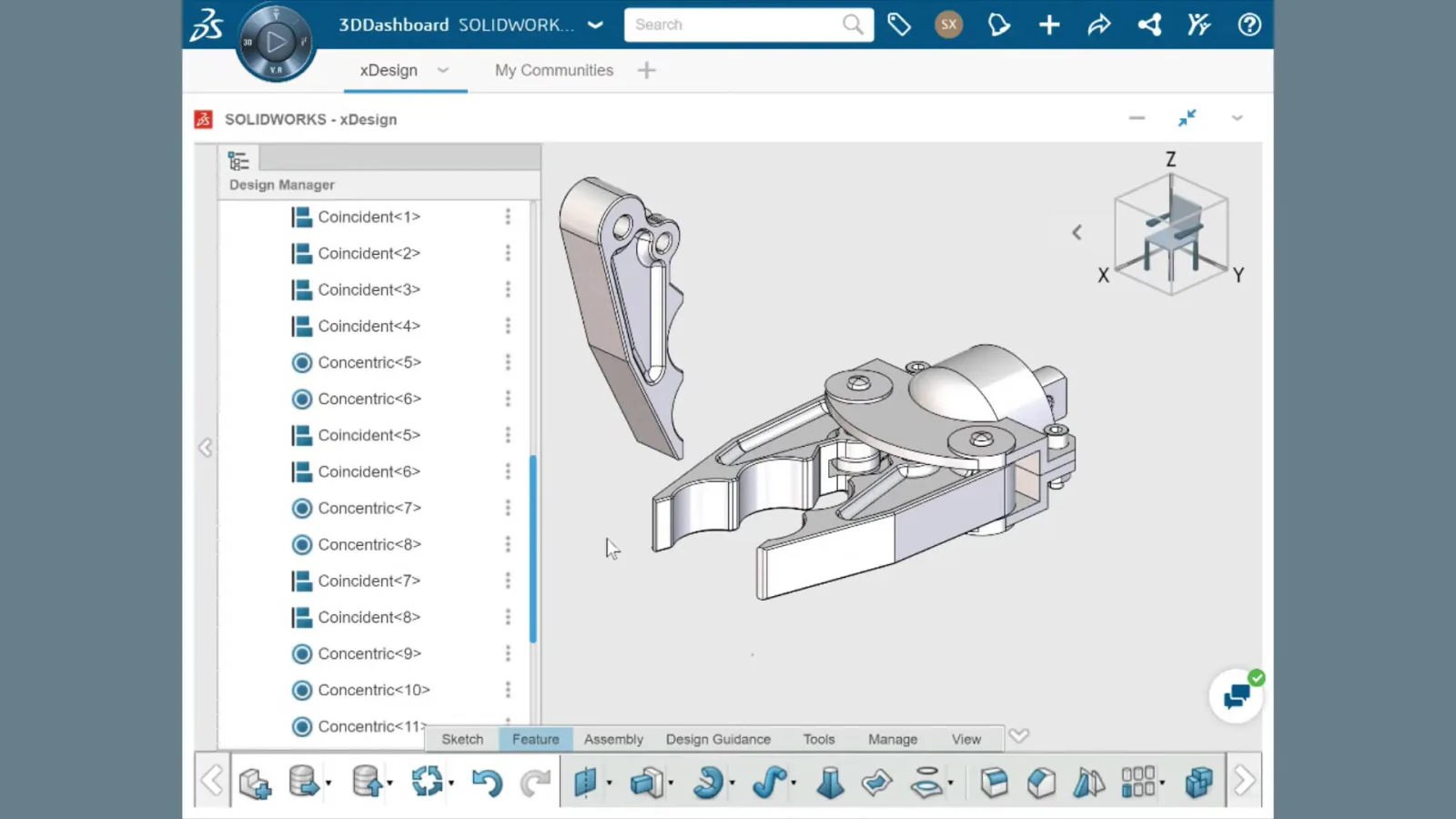
  • Multiple simultaneous users on one assembly
  • Markup and comment directly on 3D geometry
  • Automatic version history — no manual save-as management
  • Share a live review link with suppliers or customers
xDesign real-time collaboration with multiple users on one model

Platform Integration Details

xDesign sits inside the 3DEXPERIENCE platform alongside simulation, manufacturing planning, project management, and PDM. When your design is ready for analysis, it moves to simulation with no export step. The platform manages access, versions, and history automatically.

  • Single sign-on — one account for CAD, PDM, simulation, and project tools
  • Built-in change management and revision control
  • Connects to SOLIDWORKS (desktop) data in the same environment
  • No VPN required — secure browser access through the platform

Common Questions

Not exactly. xDesign is a full parametric CAD tool — sketches, features, assemblies, constraints — but it is a separate product from SOLIDWORKS desktop, built natively for the browser and the 3DEXPERIENCE platform. It covers the core modelling workflow that most engineers use daily, but does not include every add-in or specialist module available on SOLIDWORKS desktop (for example, advanced surfacing, routing, or mold tools). The two products can share data on the platform, so teams often run a mix of desktop SOLIDWORKS and xDesign depending on the complexity of the task.
xDesign is optimised for standard business-grade internet connections. A stable 10 Mbps connection is sufficient for most modelling work. The application streams geometry calculations and model data through the browser, so a lower-latency connection gives a more responsive feel. For collaborative review sessions with multiple users, a slightly faster connection is beneficial. xDesign is not designed for use on mobile data in areas with poor signal.
Yes. xDesign can import SOLIDWORKS part and assembly files (.sldprt, .sldasm) as well as standard neutral formats including STEP and IGES. Imported SOLIDWORKS files are read as geometry — the full parametric feature tree from the desktop application is not currently preserved on import. For teams that need to maintain full parametric edits across desktop SOLIDWORKS and xDesign, working within the 3DEXPERIENCE platform where both tools share native data is the recommended approach.
All xDesign data lives on Dassault Systèmes' 3DEXPERIENCE cloud platform, hosted on AWS data centres. Your tenant is isolated — other companies' data is not accessible to you, and yours is not accessible to others. Access is controlled by the platform's role-based permission system. You choose exactly which collaborators, suppliers, or customers can view or edit specific projects. Dassault Systèmes is ISO 27001 certified and the platform meets enterprise data security standards.

Ready to Remove the CAD Infrastructure Problem?

Talk to a Morphos3D specialist about how xDesign fits your team and how to migrate from your current desktop CAD workflow.

Contact Us