
You are standing up a new seat of CAD, or rethinking the one you already run, and the shortlist keeps coming back to the same three names: SOLIDWORKS, Fusion 360, and Inventor. All three will model a part. For a machine shop, the real question is what happens after the model: how it programs to G-code, how it holds up across a 2,000-part assembly, and how it hands off to the floor. This SOLIDWORKS vs Fusion 360 vs Inventor comparison is written for that question, not for the design office.
What these three CAD systems are
SOLIDWORKS, Fusion 360, and Inventor are all parametric, history-based 3D CAD systems. SOLIDWORKS, from Dassault Systèmes, is desktop software available perpetually or by subscription. Fusion 360, from Autodesk, is cloud-connected, subscription-only, and ships with CAM built in. Inventor, also from Autodesk, is desktop, subscription-only, and tied closely to the Autodesk ecosystem and Vault.
The short version, in a table
| For a machine shop | SOLIDWORKS | Fusion 360 | Inventor |
|---|---|---|---|
| Vendor | Dassault Systèmes | Autodesk | Autodesk |
| Licensing | Perpetual or subscription | Subscription only | Subscription only |
| Where it runs | Desktop | Cloud-connected desktop | Desktop |
| Built-in CAM | SOLIDWORKS CAM (CAMWorks engine); Standard tier with active subscription | Yes, 2.5 to 5-axis included | Inventor CAM, via the Autodesk Product Design & Manufacturing Collection |
| Large assemblies | Strong (SpeedPak, lightweight) | Weak above a few hundred unique parts | Strong (Level of Detail, Vault) |
| Data management | Local files; SOLIDWORKS PDM optional | Cloud-native by default | Autodesk Vault |
| Reads other CAD | Inventor, Creo, NX, Solid Edge, CATIA via 3D Interconnect | STEP, IGES and similar | STEP, IGES, and Autodesk formats |
| Best fit | Full CAD to CAM to ERP pipeline | Small shops, single machinists, fast CAM | Shops already in the Autodesk and Vault ecosystem |
Is Fusion 360 good enough?
This is the question behind most of these searches, and the honest answer is: for a lot of work, yes. For simple to moderately complex parts, brackets, enclosures, fixtures, single parts and small assemblies, Fusion 360 models cleanly and the price is hard to beat. Where it strains is exactly where a busy shop lives: large assemblies, heavy sheet metal, complex surfacing, and big drawing packages. Many users report Fusion slowing down once an assembly climbs into the hundreds of components, well before SOLIDWORKS does. So "good enough" depends less on the software and more on the size and complexity of what you build.
CAM: where the model becomes G-code
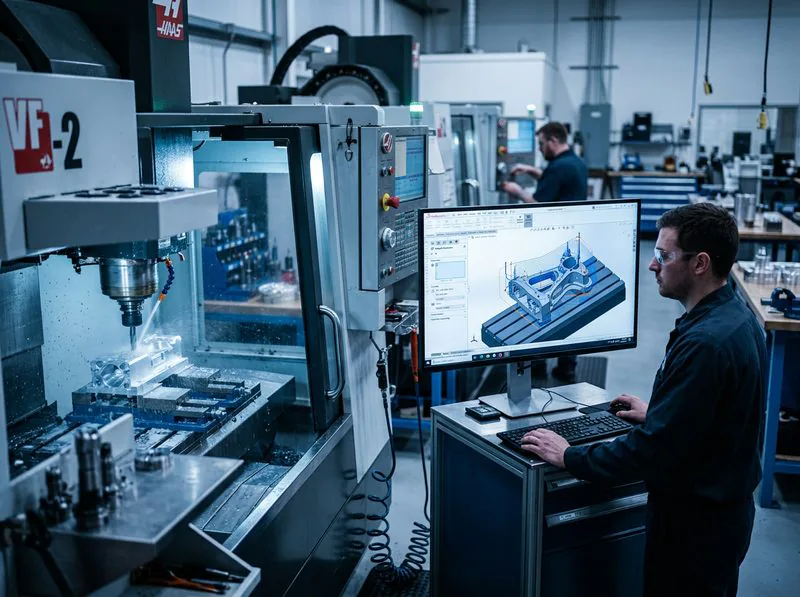
This is the line that matters most on the floor, and it is where the three diverge. Fusion 360 includes CAM in the same window as the model, with 2.5- to 5-axis strategies and a large, editable post-processor library. That tight loop is a real strength for a small shop: design and program without leaving the app.
SOLIDWORKS CAM runs inside SOLIDWORKS and is powered by the CAMWorks engine. It uses feature recognition to find holes, pockets, and faces, then applies your machining strategies, and because the toolpaths reference the model, a design change updates the program instead of scrapping it. The Standard tier is available to you when your SOLIDWORKS license is on active subscription, and we break down what Standard covers versus Professional in SOLIDWORKS CAM: Standard vs Professional. Inventor offers integrated CAM through Inventor CAM, available in the Autodesk Product Design and Manufacturing Collection.
Here is the part the spec sheets skip: the question is never just whether CAM exists. It is whether the program posts clean to your control. A generic post that almost works is worse than no post, because it produces code that looks fine and crashes at the machine. That is a reseller problem, not a software-box problem.
Large assemblies and complex parts
If your work is single parts and small fixtures, all three are fine. The split shows up when models get big. Fusion 360 is built for product design and tends to bog down on large discrete assemblies with many unique components, which Autodesk itself positions away from. SOLIDWORKS and Inventor are built to carry large assemblies, with SpeedPak and lightweight modes in SOLIDWORKS Design and Level of Detail in Inventor keeping big models responsive. Model a full machine, a large weldment, or a family of fixtures, and that difference turns into hours.
There is also a daily difference in how you assemble. Fusion 360 uses joints, SOLIDWORKS uses mates. Fusion's joints can feel quicker on simple motion, while SOLIDWORKS mates give you finer control that earns its keep on complex mechanisms. Neither is wrong, but if you build complicated assemblies all day, it is worth trying both before you commit.
Data management: where your files live
Fusion 360 is cloud-native. By default, your data lives on Autodesk's cloud, which is convenient for a distributed team and a headache for a shop that wants its files on its own server, or that handles ITAR or otherwise controlled data. SOLIDWORKS keeps files local and adds SOLIDWORKS PDM when you need vaulting, revision control, and a clean release process. Inventor leans on Autodesk Vault for the same job. For a growing shop, "where does the data live and who controls it" is a question worth answering before you buy, not after.
SOLIDWORKS vs Inventor: the real difference
People searching "SOLIDWORKS vs Inventor" are usually past the Fusion question and choosing between two mature, capable desktop systems that both handle large assemblies well. The honest deciding factor is rarely a single feature, it is the ecosystem. Inventor lives in the Autodesk world, alongside AutoCAD and Vault, and makes the most sense if you are already there. SOLIDWORKS lives in the Dassault Systèmes world, with a direct path to SOLIDWORKS CAM, PDM, Simulation, and DELMIAWorks ERP, and it carries the larger trained user base in North American manufacturing. For a shop choosing fresh, the real question is which ecosystem you want to build around.
What about hiring and training?
If you ever plan to hire, the talent pool matters. SOLIDWORKS has the largest base of trained users in mechanical design and manufacturing, it shows up on more job postings, and it is the default in aerospace, automotive, and medical device work. That makes it easier to bring on someone who is productive on day one, and easier to send your team to training. Fusion 360 is growing fast and is common with makers and small shops, but for an established shop that needs to staff up, SOLIDWORKS experience is easier to find. It is also why many shops settle on a split: SOLIDWORKS for design, Fusion for some CAM, and they hire to match.
Cost and how you own it
Fusion 360 has the lowest entry cost and is subscription-only for commercial use, with a limited free personal-use tier for hobbyists that caps active documents and exports. That cap is why people often hit a wall once a personal project turns into real work, which we cover in our Fusion to SOLIDWORKS migration guide. Inventor is subscription-only. SOLIDWORKS is the one of the three you can still buy as a perpetual license, or take on subscription if you would rather keep it as an operating expense. The right answer depends on how long you plan to run the seat and how you prefer to account for it. We are happy to lay out the real cost over three to four years so you can choose with eyes open, rather than comparing a sticker price to a subscription. For the full picture, see how much SOLIDWORKS costs.
Not sure which fits your machines and your parts? Talk it through with someone who has stood at the machine.
Get a QuoteSo which one for a machine shop?
There is no single winner, only a best fit:
- Fusion 360 is a strong, affordable choice for a small shop or a single machinist who wants modeling and CAM in one subscription and does not build huge assemblies.
- Inventor makes sense for a shop already invested in Autodesk and Vault, where staying in one ecosystem outweighs everything else.
- SOLIDWORKS fits the shop that wants the full pipeline from CAD to CAM to DELMIAWorks ERP under one roof, strong large-assembly performance, the largest pool of trained users to hire from, and a reseller that will get your post-processors right.
Plenty of shops run more than one. The point is to match the tool to how your shop actually works, then make sure whoever sells it to you can support what happens after the model.
How Morphos helps
Buying a seat is the easy part. Making it produce good parts on your machines is the hard part, and it is where we earn our keep. We help you get clean, tested post-processors for your actual controls, run on-site implementation and training built around your workflow, and keep the whole pipeline, CAD to CAM to ERP, answerable to one partner who has run the machines.