
SOLIDWORKS® PDM
Replace emailed CAD files and shared drives with a secure, version-controlled vault. Every file, every revision, every approval — in one place your whole team can trust.
SOLIDWORKS PDM
SOLIDWORKS PDM (Product Data Management) is a vault-based file management system that replaces emailed CAD files, shared network drives, and tribal knowledge with a single, version-controlled repository. Every file your engineering team creates — parts, assemblies, drawings, PDFs, spreadsheets, even emails — lives in one indexed vault with a complete revision history, audit trail, and access control.
- Vault-based architecture: one server installation, accessible to every seat in the shop. No more "which version did you send me?" conversations.
- Check-in/check-out prevents simultaneous edits. When someone is working on a file, it is locked — others see the current released version.
- CAD-neutral: manages SOLIDWORKS files, but also STEP, DXF, PDF, Excel, Word, and any other file type your team uses.
PDM Standard is included at no additional cost with SOLIDWORKS Design Professional and above — if you are already on Professional subscription, you have PDM Standard available right now. PDM Professional unlocks additional capabilities for larger teams, multi-site access, web-based access, and full BOM management.
 Morphos 3D is an authorized SOLIDWORKS reseller. We set up and configure PDM vaults for manufacturing teams.
SOLIDWORKS PDM Packages
Two tiers. Standard is included with your SOLIDWORKS subscription — you may already have it. Professional adds multi-site access, full BOM management, and enterprise workflow features.
Version control, check-in/check-out, automated change tracking, and PDF creation for single-site teams.
- Version control with full revision history
- Check-in / check-out file locking
- Automated change tracking
- Team notifications on file status changes
- Automated PDF creation from SOLIDWORKS drawings
- Integrated eDrawings preview
- Windows Explorer integration for easy file access
Everything in Standard plus remote web access, BOM management, approval workflows, and vault replication for multi-site teams.
- Web browser remote access (any device, anywhere)
- Email notifications for file and workflow events
- Full Bill of Materials management and reporting
- Multi-CAD support (connects to third-party CAD tools)
- Configurable approval and release workflows
- Vault replication for multi-site teams
- Serial number generation for part numbers
- Task scheduling (automated actions on vault events)
Compare All Features
| Capability | PDM Standard | PDM Professional |
|---|---|---|
| Version Control & Revision History | ✓ | ✓ |
| Check-In / Check-Out File Locking | ✓ | ✓ |
| Windows Explorer Integration | ✓ | ✓ |
| Data Card Metadata (Part Properties) | ✓ | ✓ |
| Automated PDF Creation (from SOLIDWORKS drawings) | ✓ | ✓ |
| eDrawings File Preview | ✓ | ✓ |
| Team Notifications (In-App) | ✓ | ✓ |
| Search by Name, Date, and Metadata | ✓ | ✓ |
| Web Browser Remote Access | — | ✓ |
| Email Notifications | — | ✓ |
| BOM Management and Reporting | — | ✓ |
| Multi-CAD Support (Third-Party CAD) | — | ✓ |
| Configurable Approval / Release Workflows | — | ✓ |
| Vault Replication (Multi-Site) | — | ✓ |
| Task Scheduling (Automated Vault Actions) | — | ✓ |
| Serial Number Generation | — | ✓ |
Already on SOLIDWORKS Professional subscription? PDM Standard may be included in your current license. Let us check for you
What You Can Do with SOLIDWORKS PDM
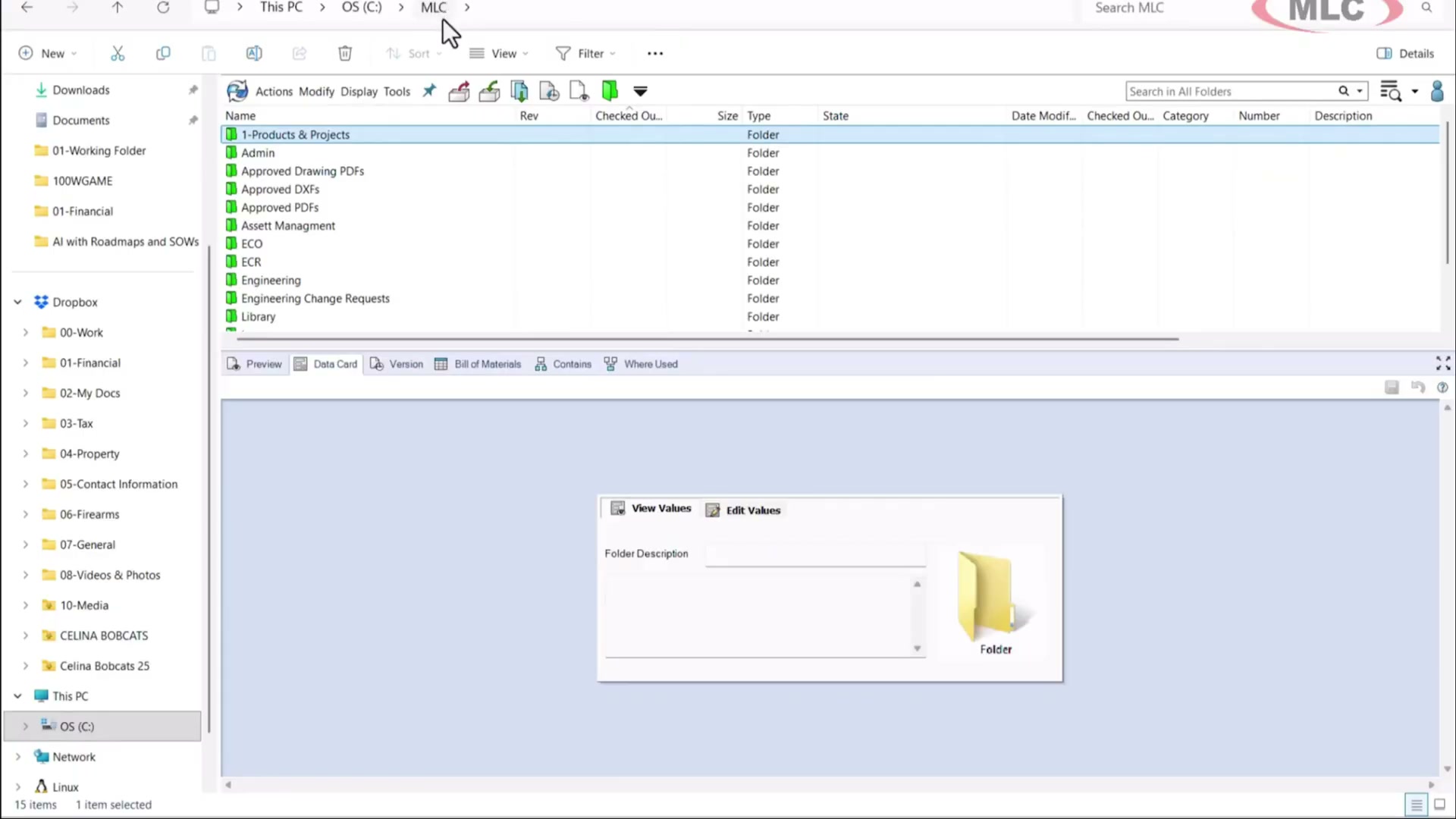
The PDM vault is a centralized file server that stores and indexes everything your engineering team produces. Files are checked in and out like library books — one person works on a file at a time, and everyone else sees the last checked-in version. The vault tracks every save, every rename, every move, and every deletion. Nothing is ever truly lost.
- Indexed central repository on your company server
- Automatic tracking of all file changes, moves, and renames
- Full revision history — browse, compare, or restore any previous version
- Stores any file type: SOLIDWORKS, STEP, DXF, PDF, Excel, Word, images
- Windows Explorer integration — vault looks and works like a network drive
PDM tracks revision letters and states (Work in Progress, Under Review, Released, Obsolete) for every file. When a drawing is released, it is locked — no one can overwrite it. Engineers working on a new revision check out a new version and work in parallel with the released state. Bill of Materials in PDM Professional shows complete component trees with revision numbers, statuses, and quantities pulled directly from SOLIDWORKS assemblies.
- Configurable revision schemes (numeric or alphabetic)
- File states: WIP, Under Review, Released, Obsolete — you define the states
- Released files locked against modification
- BOM with contains view showing all child components and their revision states
- Where-used report — find every assembly that uses a given part
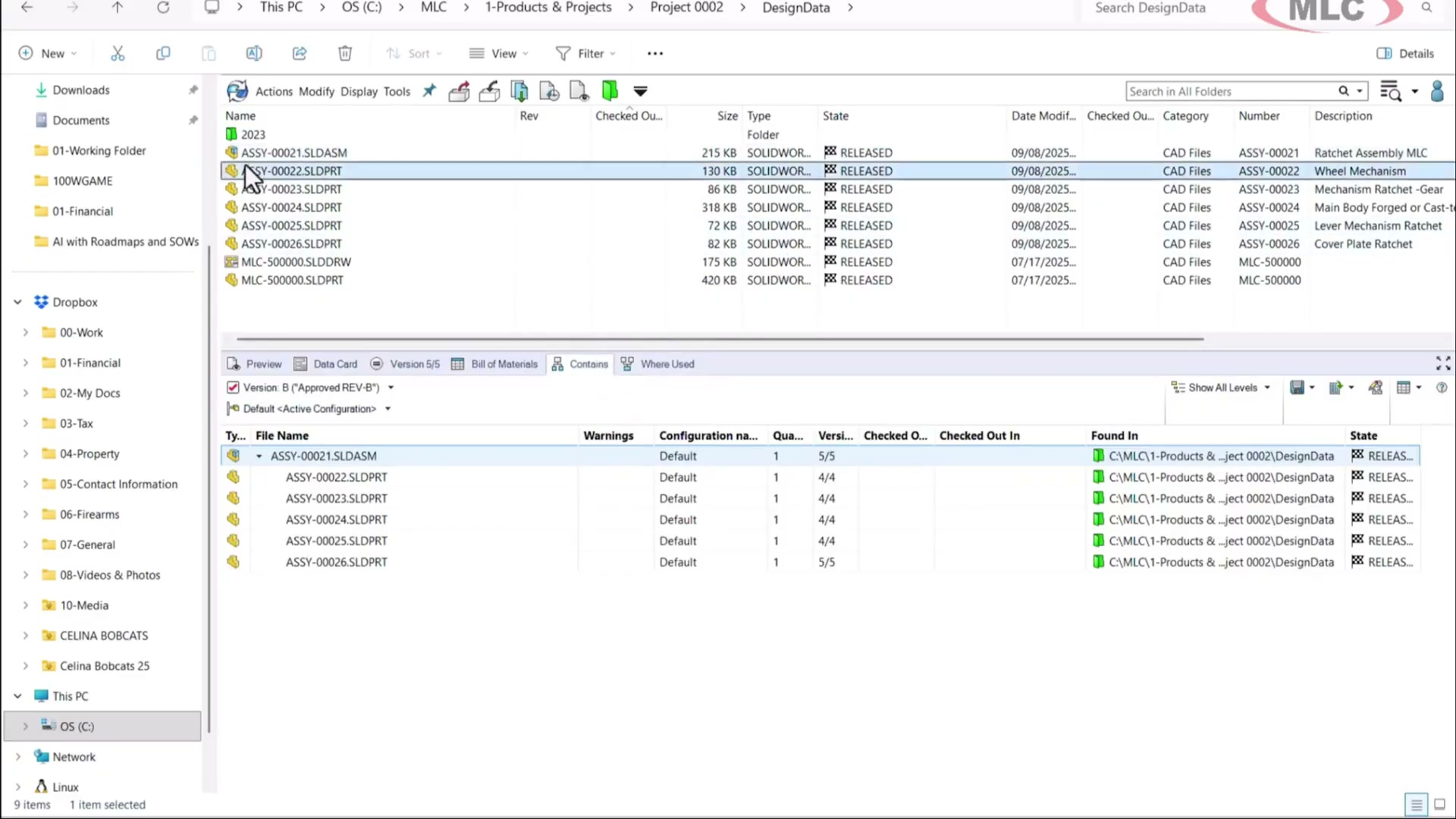
PDM reads the SOLIDWORKS assembly structure and builds a live dependency map. You can see exactly which assemblies reference a given part, which parts are in a given assembly, and what version of each component was used in any historical release. When a component is updated, PDM immediately shows which parent assemblies are affected — so you can decide whether to roll the change forward or keep existing assemblies on the previous revision.
- Component tree showing all child parts and sub-assemblies with version numbers
- Where-used: which assemblies reference a given component
- Cross-reference drawings to their referenced models
- Copy tree for creating new projects from existing designs
- Instant impact analysis before approving a component change

Every file in the vault has a data card — a customizable metadata form that stores part number, description, revision, material, weight, cost, approval status, and any other properties your workflow requires. Data cards link to SOLIDWORKS custom properties, so filling out the card automatically populates the title block on your drawings. When files are exported or released, the metadata travels with them — no manual property entry, no mismatches between the file and the paperwork.
- Fully customizable data card templates per folder or file type
- Two-way sync with SOLIDWORKS custom properties
- Automatic title block population on release
- Searchable metadata — find parts by any property combination
- Dropdowns and controlled vocabulary prevent data entry errors

Vault Setup, Workflow Configuration, and Training
We handle the full PDM implementation so your team actually adopts it from day one.
- Server installation and vault creation on your hardware or hosted environment
- Folder structure and workflow configuration mapped to your engineering change process
- Data card templates linked to your SOLIDWORKS title block properties
- Hands-on training for every user: check-in/out, searching, reviewing, and approving