
eDrawings or CAD: Match the Tool to the Review
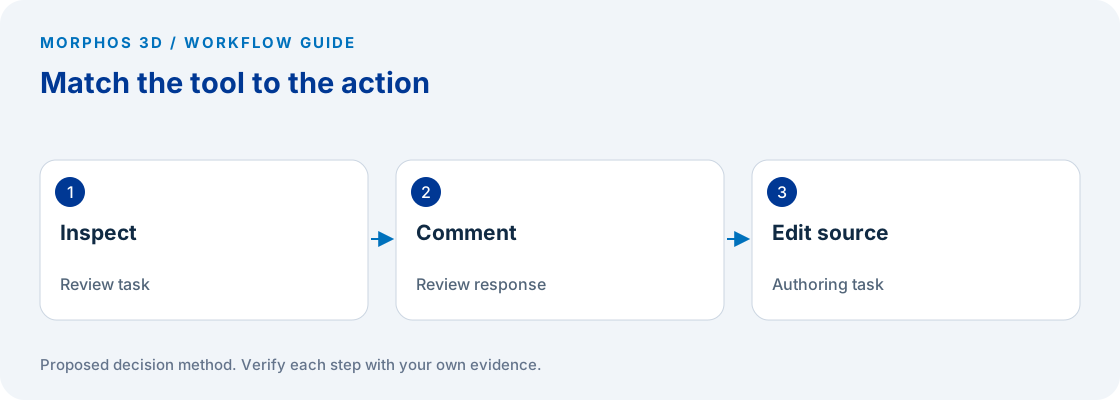
Choose a review tool when the job is to inspect and comment on supplied design information. Choose an authoring workflow when the job is to change the source design. Verify the exact eDrawings product, platform and publishing settings for the recipient tasks you require.
People asking about eDrawings who may need viewing or review help rather than a new CAD authoring system.
Review features vary by product, platform and publishing settings.
Start with the eDrawings review task
A request to “open this CAD file” does not establish a need to create CAD models. The recipient may need to understand an assembly, inspect a drawing, identify a location or return a comment. Ask what they need to do after the file opens before choosing a product or a support route.
Write the requested action as a short sentence. “Identify the interference concern and return a marked view” describes a review task. “Change the mounting pattern in the source model and update the drawing” describes authoring work. The distinction prevents a simple viewing question from becoming an unrelated software evaluation.
Identify the sender and the person responsible for resolving comments. A review has a defined input and a defined response; it does not end merely because the recipient can rotate a model on screen.
Verify the exact review capability
The official eDrawings Professional page describes markup, measurement and sectioning tools, and notes that a publisher can disable measurement. These descriptions should not be generalized to every product, platform or file. Check the actual recipient environment and publishing settings for the required task. eDrawings Professional.
Ask for the installed product name and version, operating platform, file type and the action that is unavailable. Keep the original file extension visible when describing the issue. A screenshot of the exact message or missing action can be more useful than a general statement that the file is incompatible.
If measurement is the requirement, test whether the sender enabled the intended access and whether the recipient can perform the task in the selected product. A disabled control is not enough evidence to conclude that the source geometry is wrong or that the recipient needs a full CAD authoring license.
Prepare a review package with a question
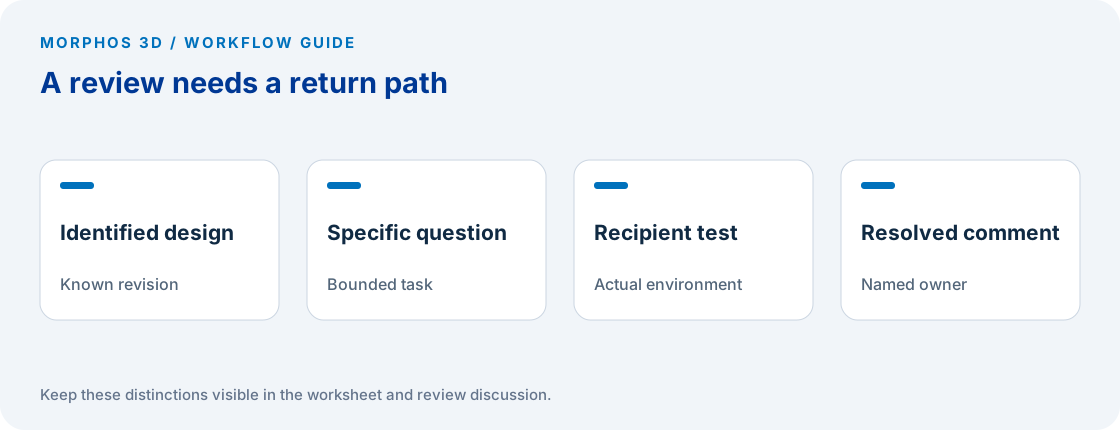
Send the design identifier, the revision or release reference, the purpose of the review and the specific question to answer. Include any instructions needed to orient the recipient without assuming they know the author's feature names or internal folder structure.
Ask the recipient to identify the exact location of the comment and describe the observed concern. A useful response connects the comment to a view, component or feature and explains what needs clarification. “Looks wrong” can require another exchange before the engineer knows what to inspect.
Keep approval authority separate from the ability to add comments. Someone may be qualified to identify a concern without being authorized to release the design. Record who resolves the comment and how the resolution becomes part of the controlled engineering process.
Put the method to work
Bring the file type, recipient environment and the exact review action that is blocked.
Use the worksheet belowRun the recipient test before wider distribution
Use a representative package and have the intended recipient open it using their normal environment. Check orientation, required views and the specific review actions. Then have them save or return the response through the planned route and confirm that the sender can interpret it.
Do not stop at a successful open on the author's workstation. That proves little about a different recipient's permissions, product or device. Record the tested environment and limit the conclusion to that case until other recipient groups have been checked.
Inspect the returned comment against the correct design reference. If several packages are under review, require a clear identifier in the response. A technically useful observation can still create confusion if it cannot be associated with the intended version of the design.
Route support and authoring needs separately
For a viewing problem, collect the file details, environment and exact failing action before changing the process. Use the applicable official support material for that product and version. Keep the request focused on restoring the review task.
For an authoring requirement, identify the source system, permission to edit and the required downstream output. That becomes a CAD workflow discussion with a different test plan. Do not assume that the need to inspect or measure a file implies intent to purchase an authoring system.
If the recipient only needs a checked drawing or another approved output, consider whether the existing controlled delivery method already meets the task. The acceptance condition is that the recipient can perform the required work and return a usable response, not that every participant uses the same interface.
Checks to carry into the discussion
| Recipient needs to | Define the task | Verify before distribution |
|---|---|---|
| Inspect the design | Open and understand the required views | Product, platform and file compatibility |
| Locate a concern | Identify the affected feature or component | Available review and markup tools |
| Measure geometry | Obtain a specific permitted measurement | Publishing settings and recipient capability |
| Return a review | Send a comment tied to the design reference | Response route and sender readability |
| Change the design | Edit source geometry and dependent output | Authoring tool, access and edit authority |
Download the working worksheet
Fill the review question before selecting the tool. Keep support details in the environment columns and approval details in the owner columns so they are not confused. Test with a permitted representative file and retain the returned response. If the task changes from reviewing to editing, start a separate authoring requirement rather than assuming the review tool should perform it. Refresh the test when a materially different recipient environment is introduced.
Fields: Design identifier · Revision reference · Review question · Recipient role · Product and version · Platform · File type · Publishing settings checked · Required action · Observed result · Return route · Resolution owner.
The worksheet and decision method are original Morphos 3D guidance. Fill them with your own evidence; the file contains no customer data or assumed results.
Bring the file type, recipient environment and the exact review action that is blocked.
Review features vary by product, platform and publishing settings.
Frequently asked questions
Does an eDrawings inquiry imply a CAD purchase project?
No. The person may only need to open, inspect or review supplied files. Establish the actual task before discussing authoring tools.
Why might measurement be unavailable?
The result depends on the product, platform, file and publishing settings. The official Professional page notes that a publisher can disable measurement, so inspect those conditions before diagnosing the issue.
Official references and method
References reviewed October 5, 2026. Product references support the specific capabilities discussed; the worksheets and decision steps are proposed guidance, not vendor benchmarks.
Discuss the next test
Bring the file type, recipient environment and the exact review action that is blocked.