
Find Your CAD Workflow Bottleneck
Find your CAD workflow bottleneck by following one deliverable through authoring, checking and handoff. Record elapsed time separately from active labor, classify repeated correction, and test the largest recurring cause with a controlled change.
Engineers who know their workflow is slow but have not identified which step creates the delay.
Elapsed time does not equal labor and one job is not a representative benchmark.
Observe one CAD workflow bottleneck at a time
“CAD takes too long” can describe several different problems. A part can take too long to rebuild, a drawing can wait for an approver, or a manufacturing recipient can spend an afternoon looking for the released file. Buying a faster workstation addresses only some of those situations.
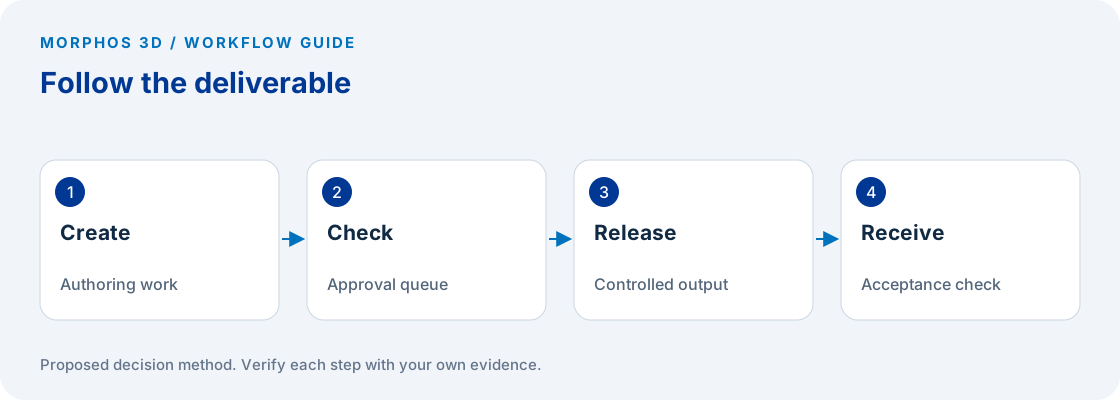
Start with one deliverable that regularly causes friction, such as an updated assembly drawing. Follow it from the request to the point where the recipient confirms it is usable. Record the actual actions and handoffs, including work outside CAD, because an export or approval delay can dominate the experience even when modeling is quick.
Choose normal work rather than an unusually difficult rescue job. If the selected job is exceptional, label it and collect another example before drawing a general conclusion. Preserve the distinction between an observed case and a claim about the entire engineering team.
Use three time categories without double counting
Record active work when someone is directly performing the task. Record waiting when the deliverable is blocked by a person, system, or missing input. Record correction as active work that repeats an earlier task because something was wrong or incomplete.
Correction is a classification within labor, not an extra quantity to add on top of that labor. If an engineer spends twenty minutes repairing drawing references, those twenty minutes belong in the active-work total and can also carry a correction tag. They should not become forty minutes in the summary.
Elapsed time follows the deliverable, while labor follows the people. Two engineers can work simultaneously during the same hour. A drawing can also wait overnight while nobody is working on it. Keep those measures separate so a long calendar delay does not become an invented labor cost.
Record the trigger, not just the symptom
For each interruption, write what happened immediately before it. Useful notes identify the action, file, configuration, user role, and expected result. “Slow assembly” leaves little to investigate; “opening the supplied configuration after retrieving references took longer than the repeat open” gives the technical reviewer a starting point.
SOLIDWORKS Performance Evaluation can report part feature rebuild timing. That can help investigate a modeling operation, but it does not measure approval queues or manufacturing handoff time. Keep application diagnostics and the end-to-end observation log as separate evidence. SOLIDWORKS 2026 Performance Evaluation help.
When a recipient rejects a file, record the reason in their words and identify the rejected deliverable. Missing dimensions, the wrong revision, and an unsupported exchange workflow are different problems, even if every incident arrives as an email asking engineering to resend the file.
Put the method to work
Bring one repeatable delay, the affected deliverable and the observation log.
Use the worksheet belowChoose a small test that can disprove the explanation
Suppose the log suggests that repeated drawing correction follows inconsistent templates. Test the same deliverable using an agreed template and record what still requires repair. Do not also change the workstation, user, and source model, because the result would no longer identify which intervention mattered.
If file retrieval appears to be the issue, separate the first retrieval from opening a locally available file. Record that distinction without treating the second result as a universal speed improvement. A warm local file and a first-time remote retrieval answer different questions.
Repeat the test on another representative job. If the apparent improvement disappears, inspect the differences before recommending a rollout. The purpose of the exercise is to narrow the cause sufficiently to choose a next action, not to produce a performance percentage from a small and uncontrolled sample.
Route the finding to the right owner
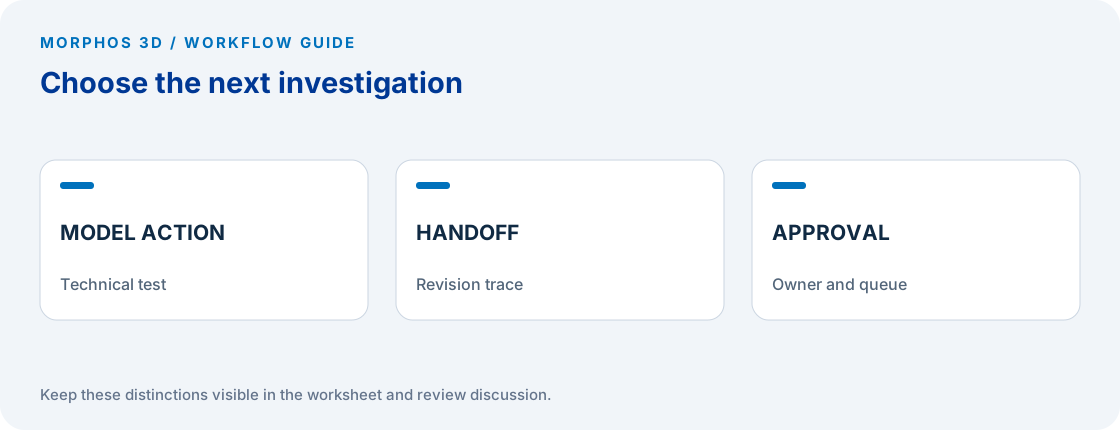
A modeling operation with a reproducible delay belongs with a technical specialist who can inspect the file and environment. Repeated revision uncertainty belongs with the people who control release and distribution. Waiting for an absent approver belongs with the workflow owner, even if the file happens to be a CAD drawing.
Use the worksheet to select one change, its owner, and the observation that would demonstrate improvement. Avoid opening several unrelated initiatives from the same small log. A narrow intervention gives the team a chance to see whether the original explanation survives contact with normal work.
Keep the original baseline and the follow-up record together. If the work changes, state that limitation. A shorter task duration is useful evidence only when the task still produces the required drawing, revision information, and manufacturing package.
Checks to carry into the discussion
| Observation | Likely investigation | Evidence needed |
|---|---|---|
| Delay during a repeatable model action | Model and environment review | File, action, configuration and timing |
| Drawing waits for approval | Approval responsibility | Request, queue and decision timestamps |
| Recipient asks which file is current | Release and distribution | Delivered file and approval reference |
| Geometry needs repeated repair | Source and exchange workflow | Incoming file and required modification |
| Repeated export correction | Output acceptance | Rejected output and recipient requirement |
Download the working worksheet
Use one row per observed step. Enter correction minutes only when they are already included in active minutes, and identify the reason for each wait. Review the log with the recipient before assigning a cause. Keep personally identifying or customer-confidential details outside a worksheet sent to an external reviewer. Compare a follow-up test against the same acceptance conditions, then decide whether the change deserves a wider trial.
Fields: Job identifier · Deliverable · Step · Start · Finish · Active minutes · Correction minutes within active time · Wait reason · File and configuration · Expected result · Actual result · Owner · Next test.
The worksheet and decision method are original Morphos 3D guidance. Fill them with your own evidence; the file contains no customer data or assumed results.
Bring one repeatable delay, the affected deliverable and the observation log.
Elapsed time does not equal labor and one job is not a representative benchmark.
Frequently asked questions
Is elapsed time the same as labor time?
No. Elapsed time follows the deliverable through work and waiting. Labor time records people actively working, including concurrent work when applicable.
Does a faster rebuild prove the workflow is fixed?
No. Confirm that the complete deliverable reaches its recipient correctly. Rebuild timing addresses one operation within that larger workflow.
Official references and method
References reviewed October 5, 2026. Product references support the specific capabilities discussed; the worksheets and decision steps are proposed guidance, not vendor benchmarks.
Discuss the next test
Bring one repeatable delay, the affected deliverable and the observation log.